
The Science of Color in YouTube Thumbnails: Why Certain Hues Get More Clicks
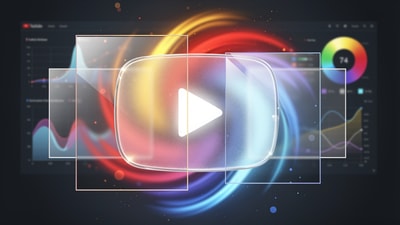
In the hyper-competitive landscape of YouTube, your thumbnail is the digital storefront of your content. You could have the most high-production, value-packed video in the world, but if nobody clicks, nobody sees it. While composition and facial expressions are vital, there is a silent driver of human behavior that often goes overlooked: color science.
Research suggests that high-contrast thumbnails using strategic color palettes can increase click-through rates (CTR) by as much as 20-30%. But it’s not just about being "bright." It’s about understanding the psychological triggers that make a viewer pause their scroll.

The Psychology of the Palette
Every color sends a subconscious signal to the brain. When a user is scrolling through their feed, their brain is processing thousands of visual cues per second. Choosing the right hue can bypass logic and trigger an emotional response.
- Red: The Urgency Signal. Red is the color of passion, danger, and urgency. It’s why "Stop" signs are red. In thumbnails, red is incredibly effective for creating a sense of "don't miss out" or highlighting a critical error.
- Yellow: The Attention Magnet. Yellow is the most visible color in the spectrum. It evokes happiness and optimism but, more importantly, it grabs the eye against YouTube’s white or dark mode interface.
- Blue: The Trust Factor. Often used in educational or tech tutorials, blue conveys professionalism and reliability. However, because YouTube’s own branding and links often involve blue/red/white, you must be careful not to blend in.
- Green: Growth and Success. Ideal for finance, health, or "how-to" videos focused on improvement. It signals a positive outcome.
Contrast: The Secret to "Popping"
Vibrancy is useless without contrast. If your entire thumbnail is neon orange, nothing stands out. True thumbnail improvers know that contrast is what creates visual hierarchy.
Contrast can be achieved in three main ways:
- Light vs. Dark: Placing a bright subject against a dark, out-of-focus background.
- Complementary Colors: Using colors opposite each other on the color wheel (e.g., Blue and Orange, Yellow and Purple). This creates a visual tension that is nearly impossible for the human eye to ignore.
- Text Readability: Never put yellow text on a light background. Use a thick black stroke or a dark drop shadow to ensure your ai thumbnails are readable even on the smallest mobile screens.
The Mobile Factor: Saturation and Size
Over 70% of YouTube views come from mobile devices. This means your thumbnail is often reduced to the size of a postage stamp. Subtle color gradients that look great on a 27-inch monitor will disappear on a smartphone. Increasing saturation (within reason) helps ensure that your colors remain distinct and vibrant even when scaled down.
A common mistake is using too many colors. Aim for a palette of 2-3 dominant hues. This reduces visual clutter and allows the viewer's eye to immediately find the focal point. Using a thumbnail analyzer can help you visualize how your thumbnail appears across different device previews.
Enter Thumbnail AI: Data-Driven Color Mastery
Instead of guessing which color will perform best, you can use Thumbnail AI to analyze your designs before you hit publish. It acts as a thumbnail rater, evaluating clarity, emotion, and—crucially—color contrast.

With Thumbnail AI, you can:
- Analyze existing thumbnails for color balance and "pop" factor.
- Predict CTR based on how well your subject stands out against the background.
- Generate variations using a thumbnail generator to see if a different color scheme might perform better for your specific niche.
Conclusion: Start Optimizing Today
You don’t need to be a professional artist to master the science of color. Start by picking 2-3 dominant colors, ensuring high contrast between your subject and the background, and always checking your text readability. Small tweaks to your color palette can lead to massive gains in your YouTube analytics.
Stop guessing and start using data-informed design. Leverage tools like Thumbnail AI to ensure your hard work actually gets the views it deserves.